

The roster and the operating picture are the same system, so who is on shift is also who can be dispatched.
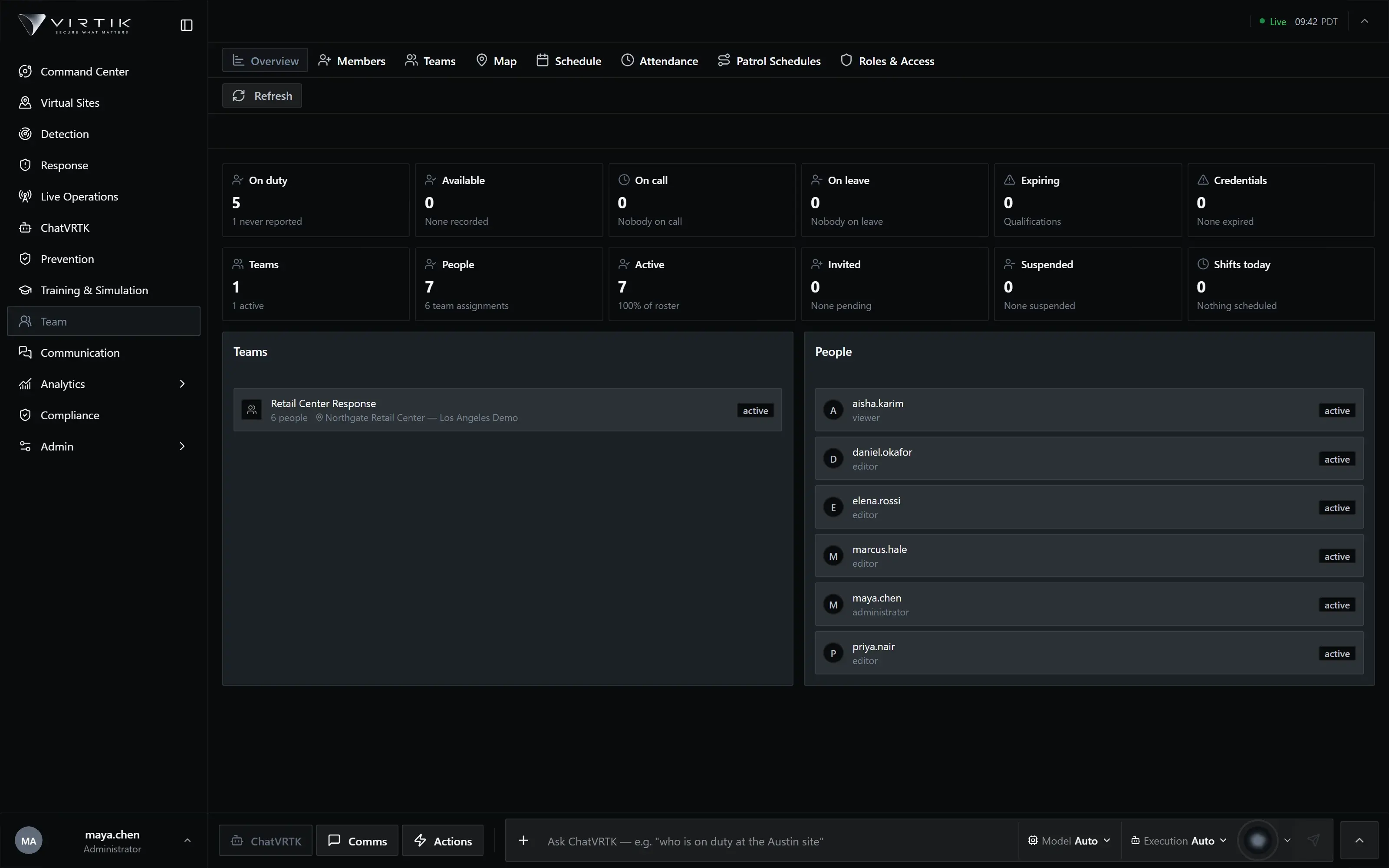
The workforce behind the operation — people, teams, shifts, attendance and who is allowed to do what.
The problem
What goes wrong without it
Scheduling lives in one system, access control in another, and attendance in a third. The result is a supervisor who cannot tell whether the person shown on the map is on shift, off shift, or no longer employed — and an access list that keeps people long after they have left.
Team holds the operational workforce in the same platform that runs the operation. A shift, a site assignment and an operational role are one record, so coverage, dispatch eligibility and permission all read from the same source.
Capabilities
What Team does
Described from the current product build. Availability can depend on your deployment and plan.
- Member directory with organisation-scoped identity
- Teams and team membership as operational groupings
- Shift scheduling against sites and coverage windows
- Attendance from the field surface, with anomaly review
- Geofenced check-in tied to site geometry
- Operational roles, site scoping and delegated administration
Operational workflow
How it is used
These are ordered stages of real use, not a feature list rearranged.
- 01Enrol
A member is invited through the administration flow and joins the organisation.
- 02Assign
Membership of a team, a site scope and an operational role.
- 03Schedule
Shifts placed against sites and coverage windows.
- 04Attend
Check-in from the field surface, with anomalies raised for review.
- 05Review
Coverage and attendance examined against what the shift required.
Operating it
Integration, security and deployment
Integrations
- Identity providers for sign-in and role mapping
- The mobile field surface for attendance and presence
- Export for review outside the platform
Security & permissions
Team is where authorisation is administered, so it is governed more tightly than the modules it grants access to. Roles and site scopes are checked against both the operational role and the organisation's entitlement, and administrative surfaces are separated from operational ones so day-to-day use never requires elevated access.
Security modelDeployment
- Attendance requires the mobile field surface to be deployed to the people using it
- Geofenced check-in requires site geometry to be authored first
- Payroll is not part of the platform
Documentation
Where the detail lives
Documentation for this module is being prepared against the product. It is not published yet.
We publish documentation only once it has been checked against the product, rather than listing procedures nobody has run. The documentation home shows what is written, in review or planned.
Documentation homeRelated
Modules that share this model
These read from the same sites, personnel and incidents.
See Team against your own sites
A working session using your operational context rather than a scripted tour. If your operation fits a plan available online, we will say so rather than route you through a sales process.