
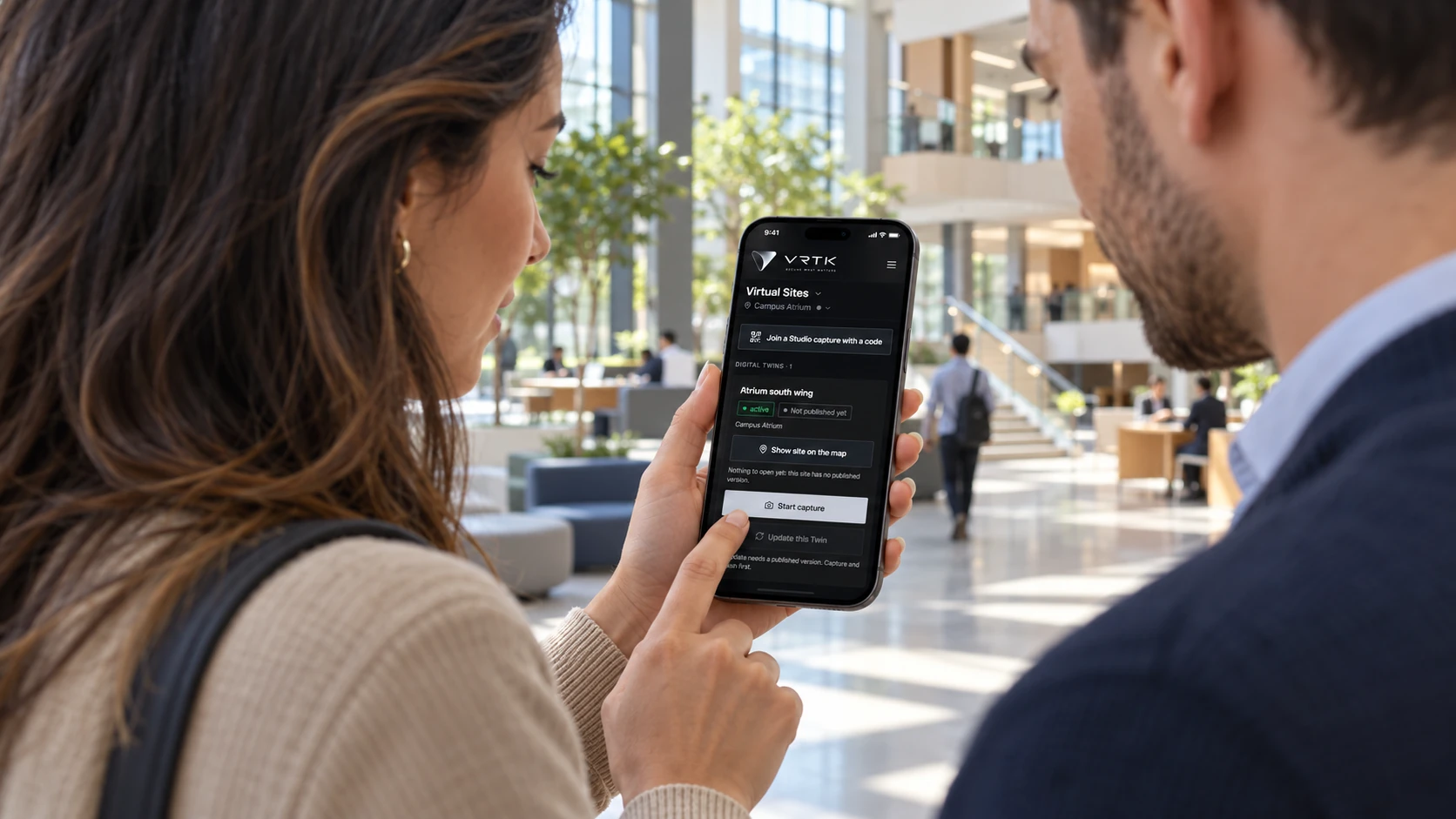
The people closest to the incident get the same operational picture as the command desk.
One adaptive field application for patrols, safety, field reports and evidence — bound to the same sites, incidents and authorization as the command center.
Recipients
Directed message, group thread, broadcast or voice — addressed from the same selection the operator made on the map.
The problem
What goes wrong without it
The people closest to the incident are the ones least served by a desktop console. So the field reports by radio and the record is written later by someone who was not there.
Mobile Operations is the field surface of the same platform, not a companion app with its own data. A patrol executed on a phone writes to the same route and checkpoints Virtual Sites defined; a field report is the record Response reads; a photo lands in private storage under the site and assignment it was captured against. The experience adapts to the person and the assignment. Authorization does not adapt — it is resolved by the same control plane as the web application.
Adaptive mobile
One app. Every operational role.
Virtik adapts the mobile experience to the user, their assignment, the site and the operational context. What does not adapt is authorization: it is enforced by the same control plane as the web application.
The field operator. Runs the shift, executes assigned patrols, records what happened and captures the evidence for it.
What they see
- Home
- Patrol
- Time
- Reports
- Safety
What they can do
- Time in, time out and breaks
- Assigned patrols with route and checkpoints
- GPS checkpoint verification — proximity, accuracy and dwell checked on the server
- QR checkpoint verification, replay-safe
- Field reports with photo and video evidence
- Duty log entries with category, severity and location
- Safety status and assistance request
- Geofenced attendance where the site requires it
- Works offline and synchronises on reconnection
- Site map and Virtual Sites context on the device(in development)
- Authorized live field media(in development)
- Team communications in the app(in development)
Effective access depends on organization entitlement, membership, permissions, resource scope, tenant policy and device trust. A role label on its own grants nothing.
Items marked in development are approved architecture that the mobile application does not carry yet. Everything else is in the current release.
Architecture
Mobile operations, connected end to end.
The phone is not a separate system. Patrols, reports, media, analysis, communications and response stay bound to the same site, user, incident and authorization as every other Virtik surface.
One Virtik mobile application resolves role, context and authorization, which produce an adaptive capability manifest. That manifest exposes patrol, tasks, safety, reports, map, Virtual Sites and communications. Field media — photo, video and authorized live — passes through the media gateway, which routes permitted evidence to the Library and, where supported, to AI perception, tracking, temporal analysis and contextual rules, producing an operational event consumed by Detection, Command Center, Live Operations and Response. ChatVRTK works across the same context in its Command, Copilot and Sentinel modes.
One mobile application
Role, context and authorization
Adaptive capability manifest
Field capabilities
Mobile field media
Media gateway
Retention and analysis
Perception pipeline
Operational event
Virtik control plane
Assistant
Assistant modes
Fixed cameras reach the media gateway as permanently installed sources, commissioned once and monitored continuously.
Mobile capture reaches the same gateway as a temporary source. An authorized live session is bound to a user, a site and a moment — it is not a camera added to the estate.
Field intelligence
Turn authorized field media into operational context.
A photograph taken in the field is only useful if the system knows who took it, where, under which assignment and against which incident. Virtik captures that context at the moment of capture rather than reconstructing it afterwards.
- 01
Capture
An authorized user takes a photo or records video from the assignment they are on. Live field sessions are in development.
- 02
Context
The media is bound to the user, the site, the assignment and the incident it was captured against.
- 03
Analyze
Where supported, media is routed through the same perception, tracking and rules pipeline the platform already uses for fixed sources.
- 04
Operate
What results is an operational event — the same kind Detection, Command Center, Live Operations and Response already consume.
- 05
Retain
Permitted evidence is retained under the organization's policy, with provenance and an audit trail.
Photo and video capture, private storage and provenance are in the current release. Live field sessions and AI analysis of mobile media are approved architecture and not yet available. Virtik does not claim detection classes it has not implemented.
Patrol
A patrol is one lifecycle across five modules.
Nothing about a patrol is mobile-only. The route is a Virtual Sites object, the assignment comes from Team, execution happens on the phone, and the result is what Command Center and Live Operations observe.
Virtual Sites
Defines the route and its checkpoints against the canonical site model.
Team and Live Operations
Schedules the patrol and assigns it to a person or a post.
Virtik Mobile
Executes it. Preflight, start, checkpoint verification and finish are server-authoritative.
Command Center and Live Operations
Observe progress, exceptions and the trace as it happens.
Evidence and review
The expected route, the actual trace, checkpoint outcomes and any evidence remain available for review.
Checkpoint verification and evidence
- GPS proximity, with accuracy and dwell evaluated on the server
- QR checkpoint tokens, resolved server-side and replay-safe
- Photo and video evidence against a checkpoint or duty log entry
- Expected route compared with the actual recorded trace
- Checkpoint outcomes, including missed and out-of-sequence exceptions
- Offline execution, synchronised when the connection returns
A checkpoint cannot be passed by a device asserting that it was nearby: proximity, accuracy and dwell are evaluated by the server, and a QR token is resolved there too. Verification methods beyond GPS and QR are under development and are not listed as available.
Continuity
The field is not a separate operational record.
A mobile user works against the same objects as the command desk. There is no mobile database, no mobile incident and no second version of the truth to reconcile later.
- The same site, from the canonical Virtual Sites model
- The same incident record Command Center and Response read
- The same team and assignment structure as Live Operations
- The same authorization, entitlements and tenant boundary
- The same audit trail, written by the same triggers
- The same evidence, stored privately and referenced rather than copied
ChatVRTK
The assistant works on the same context.
ChatVRTK is not a chatbot bolted onto a screen. It reads the operational context the user is already authorized to see, and it asks for nothing beyond it.
Command
Navigate the platform and start authorized workflows by asking for them.
Copilot
Search, explain and assist using the current site, incident and assignment context.
Sentinel
Surface operational changes, detections and risks that matter to the user's current scope.
ChatVRTK operates inside the same authorization as every other surface: it cannot read, change or initiate anything the user could not do directly, and it performs no autonomous action that bypasses a permission check. It is available in the Virtik web application today; the on-device assistant is in development.
Privacy
Authorized, policy-controlled field visibility.
A field application that can see where someone is and what they are looking at has to be explicit about its limits. Virtik's position is that visibility is an operational tool under policy, not a surveillance default.
- The camera is opened by a person taking an action in an authorized workflow. There is no silent capture.
- Microphone and camera access are permission-controlled by the device operating system and by organization policy.
- Location is collected for operational presence under policy, and the organization decides its retention.
- A live field session is initiated deliberately and is bound to a user, a site and a moment. It is not a permanent camera.
- Student and general employee workflows are safety-oriented. They are not a personnel tracking surface.
- What any role can see is decided by entitlement, permission, resource scope and tenant policy — never by a role label alone.
Capabilities
What Mobile Operations does
Described from the current product build. Availability can depend on your deployment and plan.
- Time in, time out and breaks, sequenced and enforced on the server
- Assigned patrols with their route and checkpoints
- Checkpoint verification by GPS and QR, validated server-side
- Field reports with a server-enforced lifecycle and immutable submissions
- Photo and video evidence captured to private storage, never a public bucket
- Safety status and assistance requests from the field
- Geofenced attendance where the site requires it
- Field work continues offline and synchronises when the connection returns
Operational workflow
How it is used
These are ordered stages of real use, not a feature list rearranged.
- 01Sign in
The device resolves the organization, role, assignments and capabilities from the same authorization the web application uses.
- 02Start the shift
Time in is recorded server-side, in sequence, and cannot be back-dated from the device.
- 03Execute the patrol
The assigned route and its checkpoints are verified as they are reached, by GPS proximity or QR, with the decision made on the server.
- 04Record what happened
A field report captures narrative, category, severity and evidence; a supervisor can bind it to an incident.
- 05It appears in command
The report and its evidence are the records Command Center, Live Operations and Response already read. No second copy is created.
Operating it
Integration, security and deployment
Integrations
- Push notification transport
- Device location services
- Storage for captured evidence
Security & permissions
Location is collected for operational presence and governed by the same privacy and retention rules as the rest of the platform. Device enrolment is per user, and captured evidence inherits the incident's authorisation rather than living in a device gallery.
Security modelDeployment
- Requires push notification transport to be configured before a device receives an alert
- Location accuracy depends on the device permissions the user grants
- Evidence capture requires private storage to be configured for the organization
- Patrol execution requires routes and checkpoints to be defined in Virtual Sites first
- Live field media, in-app communications and the on-device assistant are approved architecture and not in the current release
Documentation
Where the detail lives
Documentation for this module is being prepared against the product. It is not published yet.
We publish documentation only once it has been checked against the product, rather than listing procedures nobody has run. The documentation home shows what is written, in review or planned.
Documentation homeRelated
Modules that share this model
These read from the same sites, personnel and incidents.
See Mobile Operations against your own sites
A working session using your operational context rather than a scripted tour. If your operation fits a plan available online, we will say so rather than route you through a sales process.